
Showit vs Shopify: What to Use for Your E-Commerce Website

If you’re a creative business owner trying to decide between Showit vs Shopify for your website, it can feel a bit like choosing between coffee and tea. They’re both great, but for very different reasons.
The good news? You don’t always have to choose just one. With tools like Shopify’s Starter subscription and Buy Buttons, you can pair Showit’s dreamy, fully custom design with Shopify’s rock-solid e-commerce engine.
As a brand and web designer who works with female founders and creative entrepreneurs, I see this question all the time: “Should I build my website on Showit or go all in with Shopify?” Let’s walk through how each platform shines, what their differences really mean for your business, and how to know which path (or combo) is right for you.
Showit: The Creative’s Dream Website Platform
Showit is a drag-and-drop website builder loved by photographers, designers, coaches, and creative service providers for one big reason: design freedom. You’re not stuck in a strict template or a rigid theme. Instead, you get a blank canvas you can quite literally design to your heart’s content.
Showit is an amazing website choice if your brand relies heavily on visuals, storytelling, and a unique experience.
With Showit, you can:
- Build a fully custom, pixel-perfect website without touching code.
- Create different designs for mobile and desktop for a truly tailored experience.
- Integrate a WordPress blog for powerful blogging and SEO tools.
But here’s the thing: Showit itself is not an e-commerce platform. It doesn’t process payments, manage inventory, or send order confirmations. That’s where Shopify comes in as the e-commerce engine behind the scenes.
Shopify: The E-Commerce Powerhouse
If Showit is your gorgeous boutique’s interior design, Shopify is the entire back office, cash register, and shipping department rolled into one. Shopify is built for selling. It handles:
- Product listings and inventory
- Secure payments and checkout
- Taxes, shipping, and order management
- Discount codes and gift cards
- Customer accounts and order history
If your business is product-based, especially if you’re selling a higher volume of items, Shopify is built to keep your shop running smoothly. It’s less about crafting a dreamy, fully custom layout and more about giving you a clean, professional storefront that just works.
You can build your entire website directly on Shopify using its themes, or, if you’re more design-conscious and want a custom front-end, you can use Shopify in the background just for the store side while keeping your main site on Showit. That’s where Shopify Starter and Buy Buttons come into play.
What Is Shopify Starter and the Shopify Buy Button?
Shopify’s Starter plan is a low-cost way to use Shopify’s selling tools without building a full Shopify website. Think of it as “Shopify Lite” specifically for integrating selling features into another website or platform.
With Shopify Starter, you get access to the Shopify Buy Button. This little piece of magic lets you:
- Generate embeddable product buttons or mini product cards
- Place those buttons anywhere on your Showit site (or blog, or landing pages)
- Let customers purchase directly through a secure Shopify-powered checkout
- From a user’s perspective, they’re browsing your beautiful Showit-designed website, clicking “Buy Now” or “Add to Cart,” and then being guided through a seamless Shopify checkout flow. They don’t have to hop around between different sites; the experience feels cohesive and professional.
The Combination of using Showit and Shopify is perfect when you want Showit’s custom design and storytelling power with Shopify’s secure, trusted checkout.
When Showit and Shopify Buy Buttons Is the Perfect Match
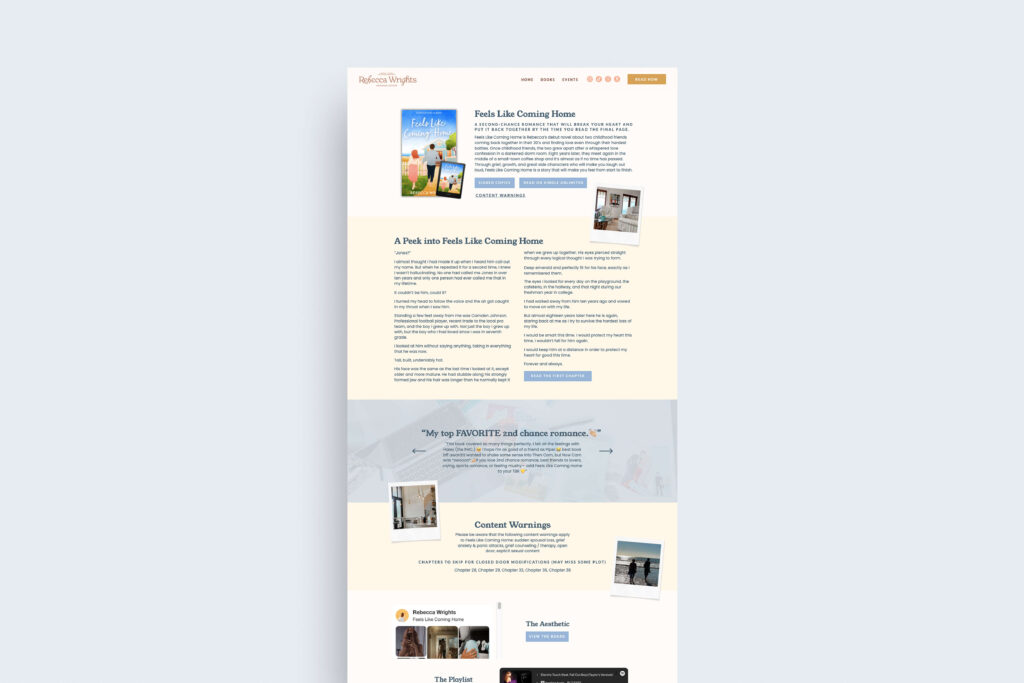
So when does it make sense to build your main site on Showit and sprinkle in Shopify Buy Buttons?
The Showit and Shopify setup is ideal if you’re primarily service-based, with a few products or digital offers.
- If you’re a photographer selling presets, a coach offering a workbook, a designer with a small print shop, or a creative with 1–20 products, you probably don’t need a giant, complex online store. Your website still needs to focus on your services, portfolio, and client experience first. Showit is perfect for that foundation, and Shopify Buy Buttons can handle the handful of products you want to sell.
You care deeply about aesthetics and custom design
- Showit lets you create a site that feels like your brand’s world, not just a generic template. If you want your product section to feel integrated into your story, not like a separate “store area,” embedding Buy Buttons into beautifully designed sections gives you that flexibility.
If you want to test selling without fully committing to a large shop
- Maybe you’re not sure if e-commerce will become a major arm of your business. Using Shopify Starter with Showit allows you to test the waters: launch a product, see how it sells, refine your offer, and then decide later if you want to scale up to a full Shopify store.
You prefer simplicity over heavy tech
- Instead of juggling a robust Shopify theme, custom code, and advanced apps, Showit + Shopify Starter gives you just enough e-commerce power to sell well without requiring you to become a full-time tech wizard.
In short: if your business is service-first with a smaller, curated set of products, Showit with Shopify Buy Buttons is often the sweet spot.
When You Should Use Shopify As Your Main Website Platform
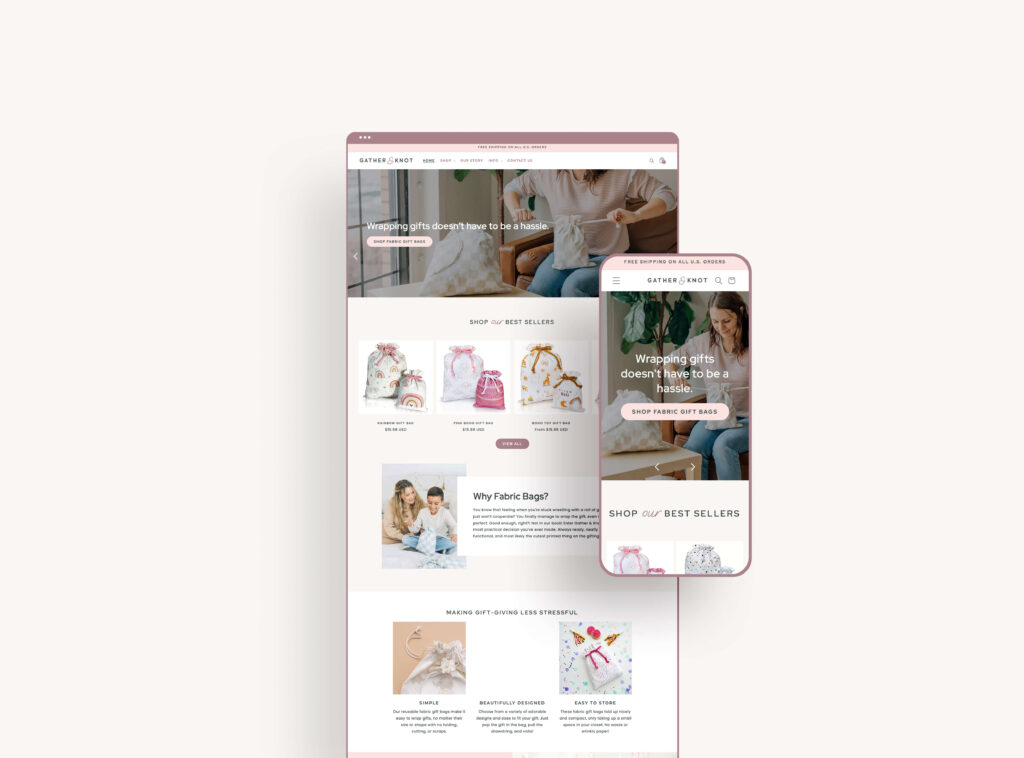
On the other hand, there are plenty of times when it makes more sense to go all in with Shopify as your primary site, rather than using Showit as the main hub:
You have a large or growing product catalog
- If you’re selling dozens or hundreds of products, offering multiple variants (sizes, colors, styles), or managing frequent inventory changes, Shopify was built for you. Its product management tools will save you time and headaches in a way that a Showit-plus-embedded-buttons setup just can’t match at scale.
Your business is primarily product-based
- If most of your revenue comes from physical or digital products and your site’s main goal is to drive shopping and conversions, using Shopify as your main platform is usually best. You can still tell your brand story with beautiful visuals and pages, but your store structure and checkout need to be front and center
You want advanced e-commerce features
- Things like robust cart functionality, advanced filtering, customer accounts, subscriptions, complex shipping rules, and app integrations (for email, loyalty, reviews, etc.) are all squarely in Shopify’s wheelhouse. If those features are critical to your business model, a dedicated Shopify site is the smarter long-term home.
You plan to grow into wholesale or multi-channel selling
- If you know you’ll be expanding into wholesale, selling across multiple channels (Instagram, TikTok, Google Shopping, etc.), or running a higher-volume shop, Shopify’s infrastructure is designed to scale with you.
In these cases, investing in a custom Shopify website design, rather than relying on Showit as the main hub, will support your growth and conversion goals much more effectively.
How To Decide What’s Right For Your Business: Showit vs Shopify
If you’re still feeling on the fence, here are a few questions to help you get clear:
Where does most of your current (or planned) revenue come from? Services or products?
If services are your main thing and products are a secondary revenue stream, Showit with the Shopify Starter is often the best fit. If products are your primary source of income, lean toward a full Shopify build.
How many products do you realistically plan to sell in the next year?
If your lineup is small and curated, buy buttons are perfect. If you’re dreaming of a full-blown product shop with categories, variants, and lots of items, you’ll likely outgrow the Starter approach quickly.
How important is ultra-custom design and layout flexibility?
If you want something that feels like a work of art and you’re extremely particular about aesthetics (hello, fellow design lovers), Showit gives you design freedom that Shopify themes can’t fully match. You can always let Shopify quietly power the checkout in the background.
Bringing It All Together With Strategic Design. Showit vs Shopify, Which is Right for You?
The beautiful thing about modern website tools is that you don’t have to force your business into a one-size-fits-all box. You can choose Showit for the storytelling, personality, and on-brand experience your audience falls in love with, and pair it with Shopify for the serious, secure e-commerce side your customers trust.
The right platform (or combo) should feel supportive, not stressful. It should let you show up confidently, sell with ease, and spend more time in your zone of genius instead of wrestling with tech.
You don’t have to be “Team Showit” or “Team Shopify.” Both platforms are powerful in their own way, and when used thoughtfully, they can play beautifully together.
Choose Showit with Shopify Buy Buttons if your business is service-focused, you have a smaller number of products, and you crave a highly custom, beautifully branded website. Choose a full Shopify site if your business is primarily product-based, you plan to scale your shop, or you need robust e-commerce features from day one.

Leave a Reply


Favorite Resources
Back to the Blog
Our Services
Read more from the blog for more glimmers of creative inspiration from the KBD studio.
Explore our services for custom brand and website magic designed to help you shine in your niche.
Discover our favorite resources of must-have tools, trusted partners, and exclusive affiliate links.


